Every customer you send an estimate to gets a portal: a private web page carrying your logo and your colours where they can read what you sent, accept it, follow the work and pay their invoice.
They do not install anything, and they do not have to create an account before they can see their estimate.
How they get in
When you send an estimate, the email contains a link straight to it. Clicking it signs them in, with no password to invent and nothing to remember. This is the part that matters: every extra step between your customer and the Accept button costs you acceptances.
They can set a password later if they want to come back without digging out the email, but it is never required.
The link is personal to them. Treat it like the estimate itself. It is fine to resend it to the customer; it is not something to post publicly.
What is in there
Estimates
The full estimate as you wrote it: your introduction, every line with its description, the totals, your terms. If you marked any lines optional, they get tick boxes here and the total moves as the customer changes their mind. See Making a line item optional.
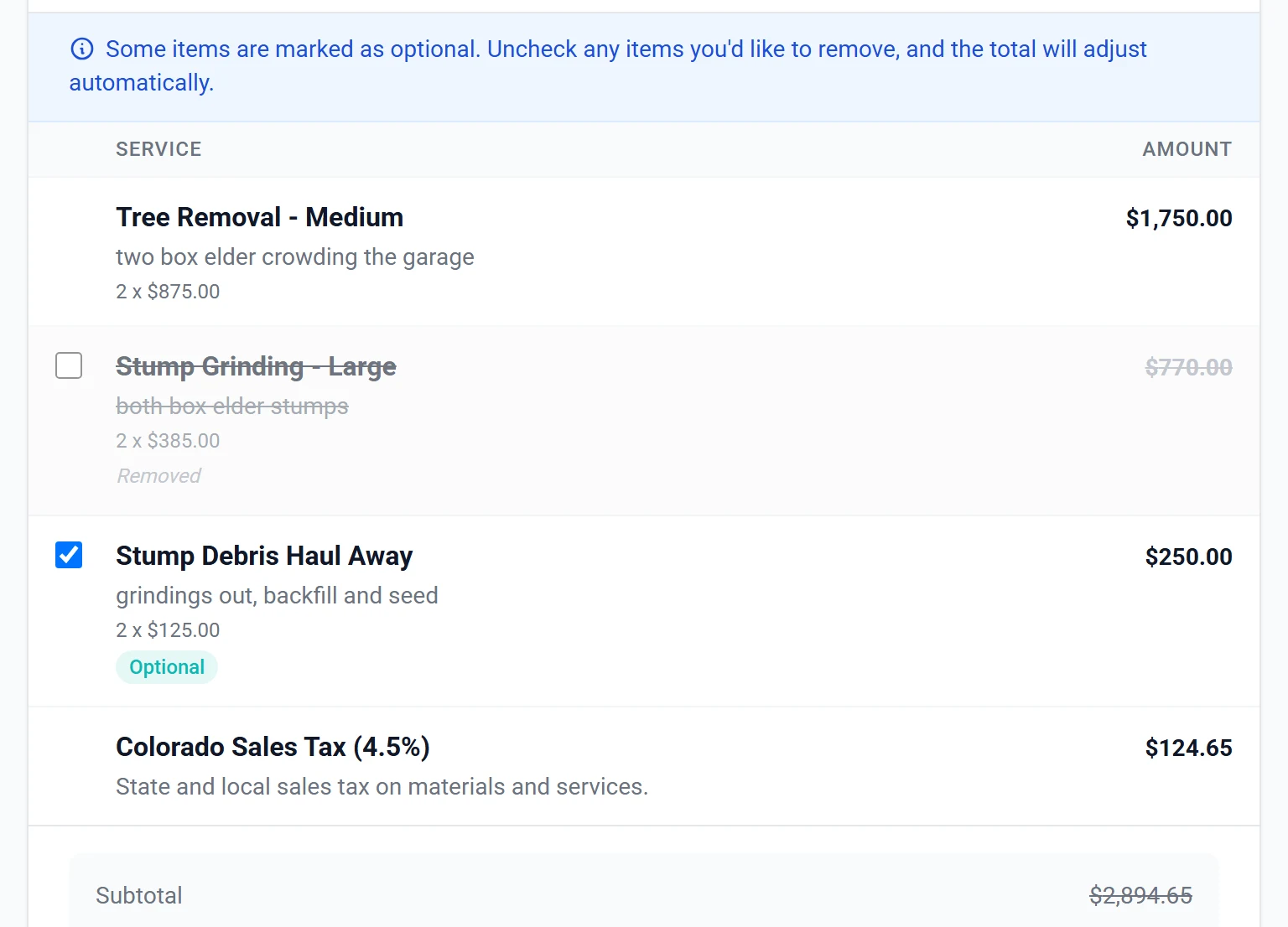
They accept or decline on this page. Accepting captures their signature, and you are notified straight away.
Work
Their jobs, split across three tabs with a count on each: Unscheduled, Scheduled and Completed. This is what stops the “just checking you are still coming Thursday” phone call, because they can look.
Invoices
What they owe, what they have paid, and the invoice itself to read or print. If you have online payments turned on, they pay from here.
It looks like your company, not ours
The portal takes your logo, your brand colour and your company name from Settings → Branding. On your own domain, a customer has no particular reason to think about who makes the software, which is the point.
Worth actually looking at your own portal once. Customers judge a company on it, and it is the one screen you never see because you are always on the other side of it.
Seeing it for yourself
The reliable way is to create a customer record with your own email address, send yourself an estimate, and click the link in the email exactly as a customer would. You get the real thing, not an approximation.
Common questions
Do customers have to sign up?
No. The link in the email signs them in. A password is optional and only useful for coming back later.
Can they see other customers?
No. Everything is scoped to them.
What if they lose the email?
Resend the estimate and they get a fresh link.
Can they ask a question without phoning?
Yes, from the estimate. It reaches you in ArborDash and is logged against that customer, so there is a record of what was agreed rather than a memory of a phone call.
Does accepting an estimate count as a signature?
Accepting captures their signature and stamps when it happened, and that is kept with the estimate and printed on the PDF. If the estimate is edited afterwards, the change is recorded too, so there is a trail of what they actually agreed to.