An optional line is work you are offering but not insisting on. The customer sees it on their estimate with a tick box, and they decide whether it is included. The total updates as they choose, so they can see exactly what each extra costs before they commit.
It is the difference between a customer saying “that is more than I wanted to spend” and a customer removing one line and accepting the rest.
How to do it
- Open the estimate and find the line you want to make optional.
- Underneath that line, tick Optional (customer can remove).
- Save the estimate.
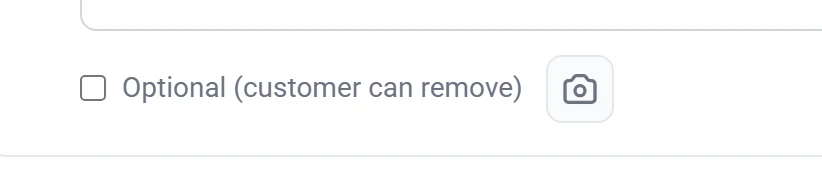
Repeat it for as many lines as you like. An estimate can have some required lines and some optional ones side by side.
What the customer sees
Optional lines appear on the estimate with a tick box next to them, already ticked. The customer can untick anything they do not want, and the total recalculates immediately. Required lines have no tick box and cannot be removed.
When they accept, the estimate records exactly which optional lines they kept. The job and the invoice are built from that choice, so nobody has to remember what was agreed.
The details box matters more on optional lines. A customer deciding whether to spend another $400 needs to know what they are getting for it. “Stump grinding” is a price. “Grind the stump 6 inches below grade and backfill with the chips so you can seed over it” is a decision they can make.
What to use it for
- Genuine extras. Stump grinding after a removal. Hauling the wood away instead of leaving it stacked.
- Work you would recommend but they may not want yet. The second tree that also needs attention, offered alongside the one they called about.
- Upgrades. Full haul-away instead of leaving brush at the kerb.
What not to use it for
Do not make something optional if the job cannot actually be done without it. If the crew needs a crane, the crane is not an add-on. A customer who unticks it has accepted an estimate you cannot deliver at that price, and you get an awkward conversation on the day.
Optional lines or pricing options?
These are two different tools and it is worth knowing which one you want.
| Optional lines | Pricing options | |
|---|---|---|
| The customer is choosing | Which extras to add to one quote | Between whole packages |
| Looks like | Tick boxes on individual lines | Good / Better / Best, side by side |
| Reach for it when | There is one job with some extras | There are genuinely different ways to do the job |
If you are quoting a removal and want to offer stump grinding on top, use an optional line. If you are quoting three different approaches to the same overgrown yard at three different prices, use pricing options and tick Mark as Recommended on the one you would advise.
Common questions
Can I have the box start unticked?
Optional lines start ticked, so the customer sees the full scope you are proposing and removes what they do not want. That framing gets you a higher average acceptance than asking them to opt in.
Does the customer see that it was optional after they accept?
Yes. The accepted estimate records what they chose, and anything they removed is shown as not included rather than quietly disappearing.
Can I discount an optional line?
Yes. Use Specific Lines discount mode and pick the line. See Applying a discount.