ArborDash can build your crew a real mobile app, one that installs on their phone with your company name under the icon and your logo on the launch screen. It installs like any other app, not as a browser shortcut.
You generate it yourself from Settings → Mobile App.
Before you can build it
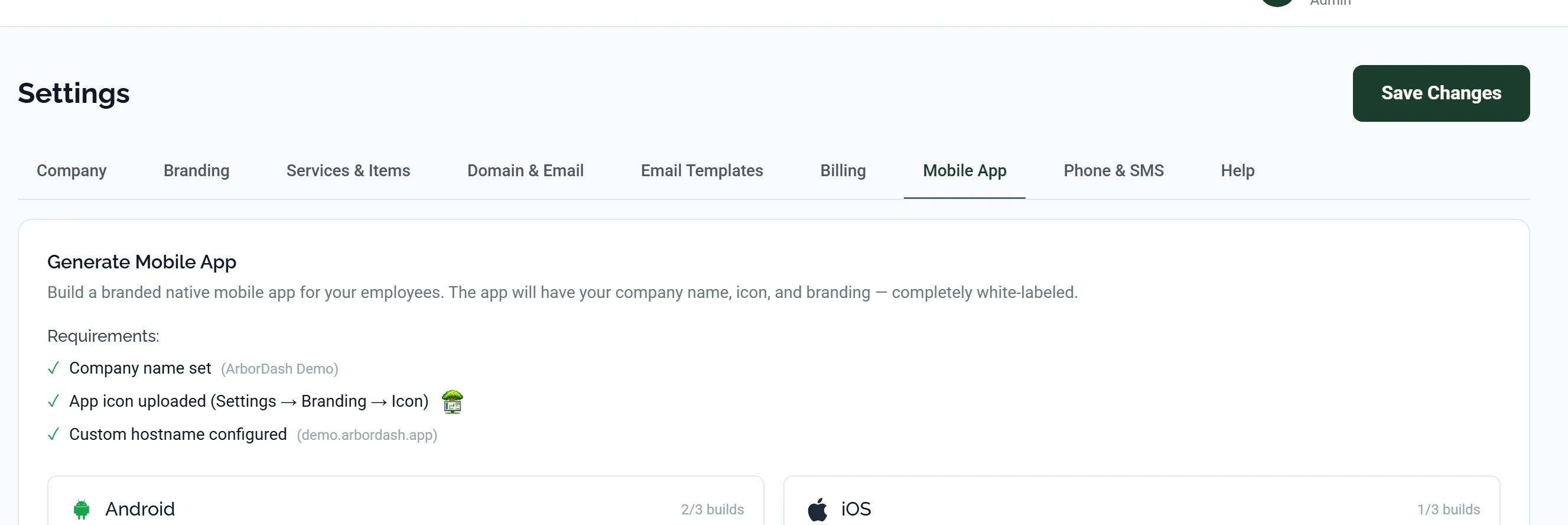
The Generate Mobile App panel lists three requirements with a tick beside each. The build button stays disabled until all three are green.
| Requirement | Where to set it | What it becomes |
|---|---|---|
| Company name set | Settings → Company | The name under the icon on the home screen |
| App icon uploaded | Settings → Branding → Icon | The icon itself |
| Custom hostname configured | Settings → Domain & Email | The address the app loads your dashboard from |
The icon is a separate upload from your logo. Your logo is usually wide, with your company name in it. An app icon is square and gets shown at about the size of a thumbnail, so wordmarks turn to mush. Upload a square mark: a symbol, a monogram, the recognisable part of your logo on its own.
Building it
- Go to Settings → Mobile App.
- Check all three requirements show a tick.
- Choose the platform and start the build.
- Wait. A build takes a while. You do not need to keep the page open, and the status updates when you come back.
Finished builds are listed underneath with the date they were made, so you can always get back to the last good one.
Getting it onto phones
Android
Android builds produce an APK your crew installs directly. Use Download APK and send them the file, or put it somewhere they can reach it. The phone will warn them about installing from outside the Play Store, which is expected. They need to allow it once.
There is no store listing, no review, and no yearly fee.
iOS
iPhone is stricter. Apple does not allow sideloading, so an iOS app has to go through the App Store even when only your own crew will ever use it. It is distributed as an unlisted app: it does not show up in search or charts, and only people with the direct link can install it.
That route needs an Apple Developer account, which Apple charges for annually, and each build goes through App Review before your crew can install it.
Plan for the review wait on iOS. App Review usually comes back within a day or two, but it can be longer, and it can come back asking questions. Do not schedule anything around a first iOS build landing on a particular day.
What the crew gets
The app is the ArborDash dashboard in a native shell, scoped to what that person is allowed to see. Because it loads from your dashboard address, anything you change on the web is live in the app immediately. You do not rebuild to push a change.
The native shell adds the things a browser cannot do:
- Push notifications for new job assignments and schedule changes.
- Background location for crew tracking and route progress, when you have that turned on.
- A home screen icon that gets tapped, instead of a bookmark that gets forgotten.
Common questions
Do I have to rebuild when I change my branding?
Only for the icon and the app name, which are baked in at build time. Colours, logo and everything inside the app come from your settings and update straight away.
Can customers use this app?
No, this one is for your team. Customers use the customer portal in their browser, which needs nothing installed. See What your customers see in the portal.
My build failed. What now?
Failed builds stay in the list so they can be looked at. Email [email protected] and tell us roughly when you started it, and we will read the build log.
Can I do Android now and iOS later?
Yes, they are independent. Most people start with Android because there is nothing to pay and nothing to wait for, then add iOS once they know the crew is actually using it.